Windows keyboard on Mac
The Windows shortcuts your fingers know, Ctrl + Alt + Delete included
On a Mac, copy is ⌘C and Home jumps to the top of the page. WinPlug Keyboard gives you back the keys your fingers learned on Windows: Ctrl + C and Ctrl + V, Ctrl + Z and Ctrl + Y, Home and End, Alt + F4 and Ctrl + Alt + Del, on a Windows keyboard or a Mac one, in any layout.
Free 14-day trial$24 one-timemacOS 14 or later

A Mac keyboard for Windows users: what changes
Coming from Windows, this is where your Mac’s keyboard works differently, and what WinPlug Keyboard brings back.
| On a Mac | With WinPlug |
|---|---|
| Copy, paste and undo are ⌘C, ⌘V and ⌘Z: Ctrl + C does nothing. | Ctrl + C, Ctrl + V, Ctrl + Z and 22 more Ctrl shortcuts work everywhere. |
| Redo is ⇧⌘Z, so Ctrl + Y has no effect. | Ctrl + Y redoes, as on Windows. |
| Home and End scroll to the top or the bottom of the document. | Home and End go to the ends of the line, Ctrl + arrows jump word by word. |
| Alt + F4 does nothing, and ⌘Q quits the whole app. | Alt + F4 closes the window in front, never the app. |
| Ctrl + Alt + Del does nothing; Force Quit is ⌥⌘Esc. | Ctrl + Alt + Del opens Activity Monitor, the Mac’s task manager. |
| Tapping Alt doesn’t reach the menus. | Tap Alt, then the letter under a menu to open it. |
How to copy and paste on a Mac with Ctrl + C and Ctrl + V
On a Mac, copy and paste are ⌘C and ⌘V.
With WinPlug, Ctrl + C and Ctrl + V work too, everywhere.
So do Ctrl + X, Ctrl + A, Ctrl + S, Ctrl + F and the rest, 25 in all, each with its own switch. ⌘C and ⌘V keep working as well.
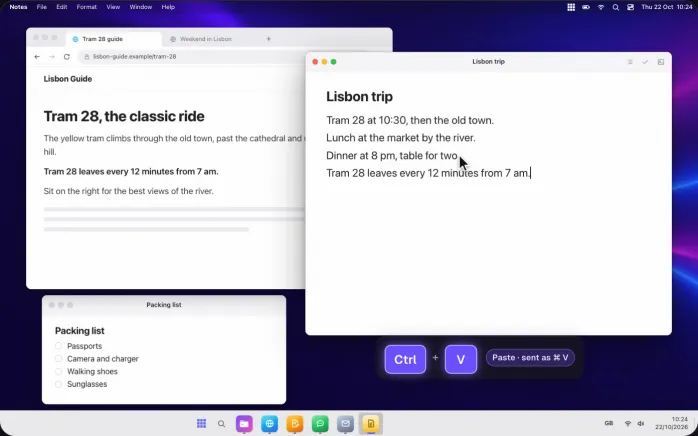
Use a Windows keyboard on your Mac, in any layout
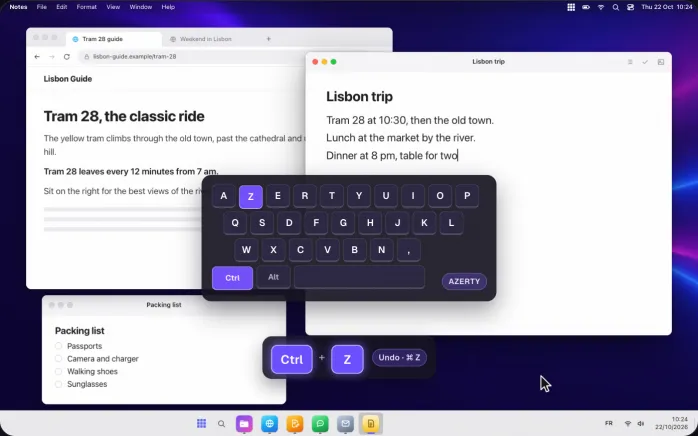
Plug in a Windows keyboard: Ctrl is Ctrl, Alt is Alt and the Windows key is Win, the ⌘ key of a Mac.
Shortcuts follow the letter you type, not where the key sits, so AZERTY, QWERTY and other layouts all work, and switching layouts changes nothing.
On a Mac keyboard, Ctrl is the Control key and Alt is Option.
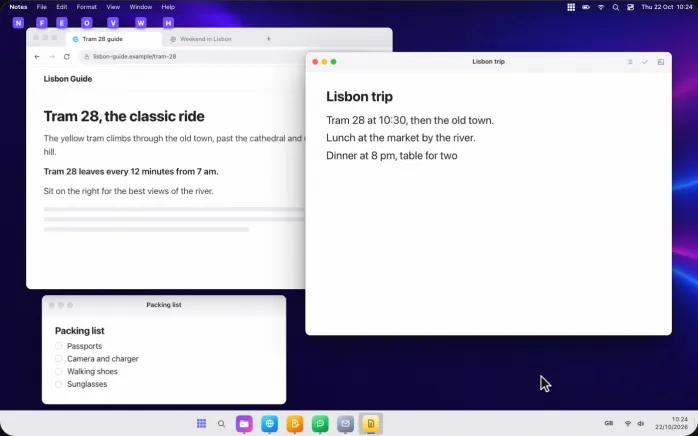
The Alt key on a Mac: open menus from the keyboard
Tap Alt on its own and a violet letter shows under each menu of the app in front: type it to open that menu, then use the arrows and Enter.
The letters come from the menus’ names, so File keeps F.
Esc, a click or any other key puts them away.
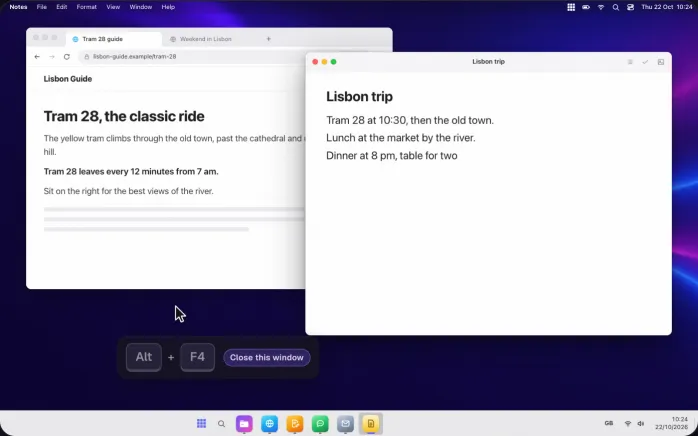
Alt + F4 on a Mac: close the window, not the app
Alt + F4 closes the window in front, the way its red button does.
Your other windows of the same app stay open, and so does the app: nothing quits by surprise.
On a Mac keyboard, F4 may need the fn key, as F-keys control the brightness and the sound.
Home and End keys on a Mac, like on Windows
Home and End go to the start and the end of the line, Ctrl + Home and Ctrl + End to the top and the bottom of the document.
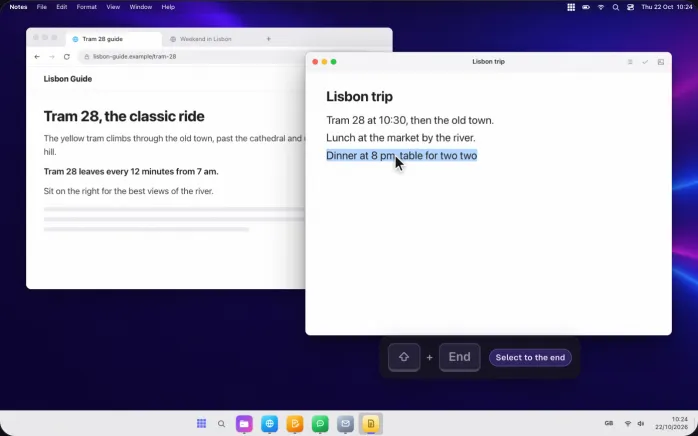
Ctrl + ← and → jump word by word, Ctrl + ↑ and ↓ paragraph by paragraph, and Shift selects as you go.
Ctrl + Backspace deletes the word before the cursor.
Undo and redo on a Mac: Ctrl + Z and Ctrl + Y
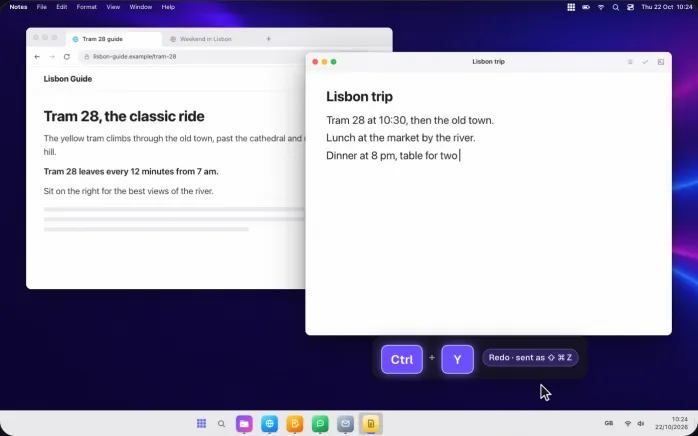
Ctrl + Z undoes, as you expect.
Ctrl + Y redoes: on a Mac, redo is ⇧⌘Z, so WinPlug sends that for you.
Both work in every app that can undo, from your notes to your mail.
Ctrl + Alt + Delete on a Mac: the task manager
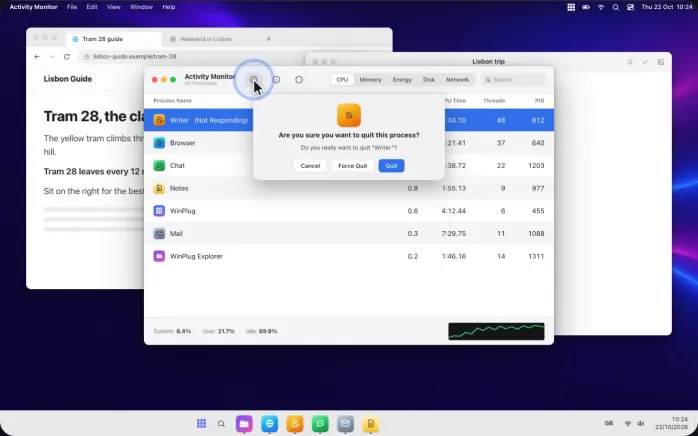
Ctrl + Alt + Del, or Ctrl + Shift + Esc, opens Activity Monitor: the Mac’s task manager, with every app and how hard it works.
Pick an app that’s stuck, click the stop button, then Force Quit.
Your other apps carry on.
Ctrl keeps its job in terminals and code editors
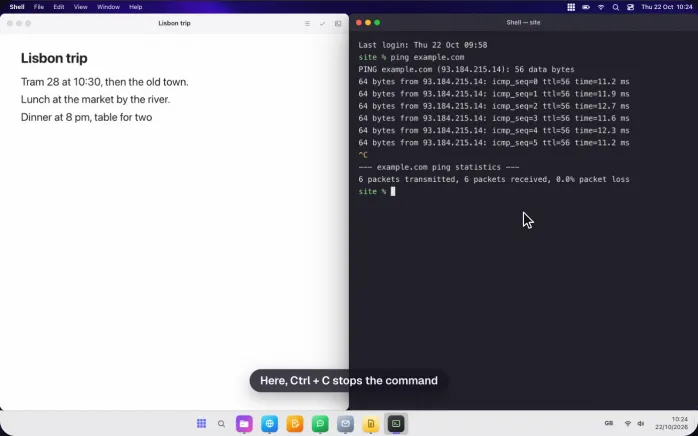
In terminals, code editors, virtual machines and remote desktops, Ctrl is not translated: Ctrl + C stops a command and your editor’s own Ctrl shortcuts work as always.
14 of these apps are on the list from the start, and you can add or remove any app in Settings.
Turn every Windows shortcut off with one shortcut
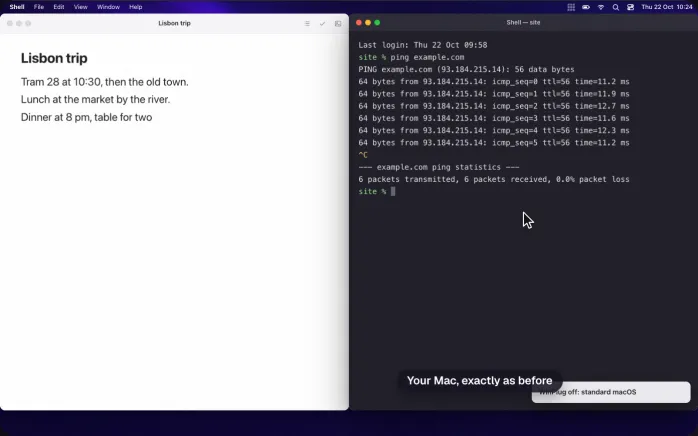
Ctrl + Alt + Win + W turns WinPlug off: it steps aside and your Mac works exactly as it did, ⌘ shortcuts and all.
Press it again to bring everything back.
The same switch is in WinPlug’s menu, at the top of its Settings and in the taskbar’s quick settings.
And also…
25 Ctrl shortcuts
Ctrl + S saves, F finds, P prints, T opens a tab, W closes it, + and − zoom, Enter sends. Each one can be turned off.
Shift too
Ctrl + ⇧ + T reopens the tab you just closed, Ctrl + ⇧ + S saves as: Shift keeps its job.
F5 refreshes
F5 or Ctrl + F5 reloads the page you’re on, as on Windows.
Mac shortcuts kept
⌘C, ⌘V and every Mac shortcut still work, next to Ctrl. Nothing to unlearn.
Your own exceptions
Add any app where Ctrl should stay Ctrl, from the apps that are open or from your Applications folder.
Explorer keys in folders
In your Mac’s folders, F2 renames, Enter opens, Delete moves to the Bin and Backspace goes back.
Win shortcuts
Win + arrows snap windows, Win + ⇧ + S snips, Ctrl + Esc opens Start and Ctrl + Alt + V your clipboard.
Your shortcuts, your way
Turn off any of the 25 Ctrl shortcuts in Settings, and give WinPlug’s own shortcuts new keys: click one, press the keys you like.
Windows shortcuts on your Mac
- CtrlCXV
- Copy, cut, paste
- CtrlZ
- Undo
- CtrlY
- Redo
- CtrlA
- Select all
- CtrlSFP
- Save, find, print, and 18 more Ctrl shortcuts
- HomeEnd
- Start or end of the line (with Ctrl: of the document)
- Ctrl←→
- Jump word by word (with ⇧: select)
- CtrlBackspace
- Delete the word before the cursor
- Alt
- Tapped alone: a letter under each menu
- AltF4
- Close the window in front
- F5
- Reload the page
- CtrlAltDel
- Activity Monitor (Ctrl + ⇧ + Esc too)
- CtrlAltWinW
- WinPlug off and on
On a Mac keyboard, Ctrl is the Control key, Alt is Option and Win is Command; on a Windows keyboard plugged into your Mac, they are the keys you know. Every shortcut can be switched off in Settings.
See it on a real Mac
No mock-up: WinPlug Keyboard filmed on a real MacBook, keys on screen. Jump to any feature from the list below.
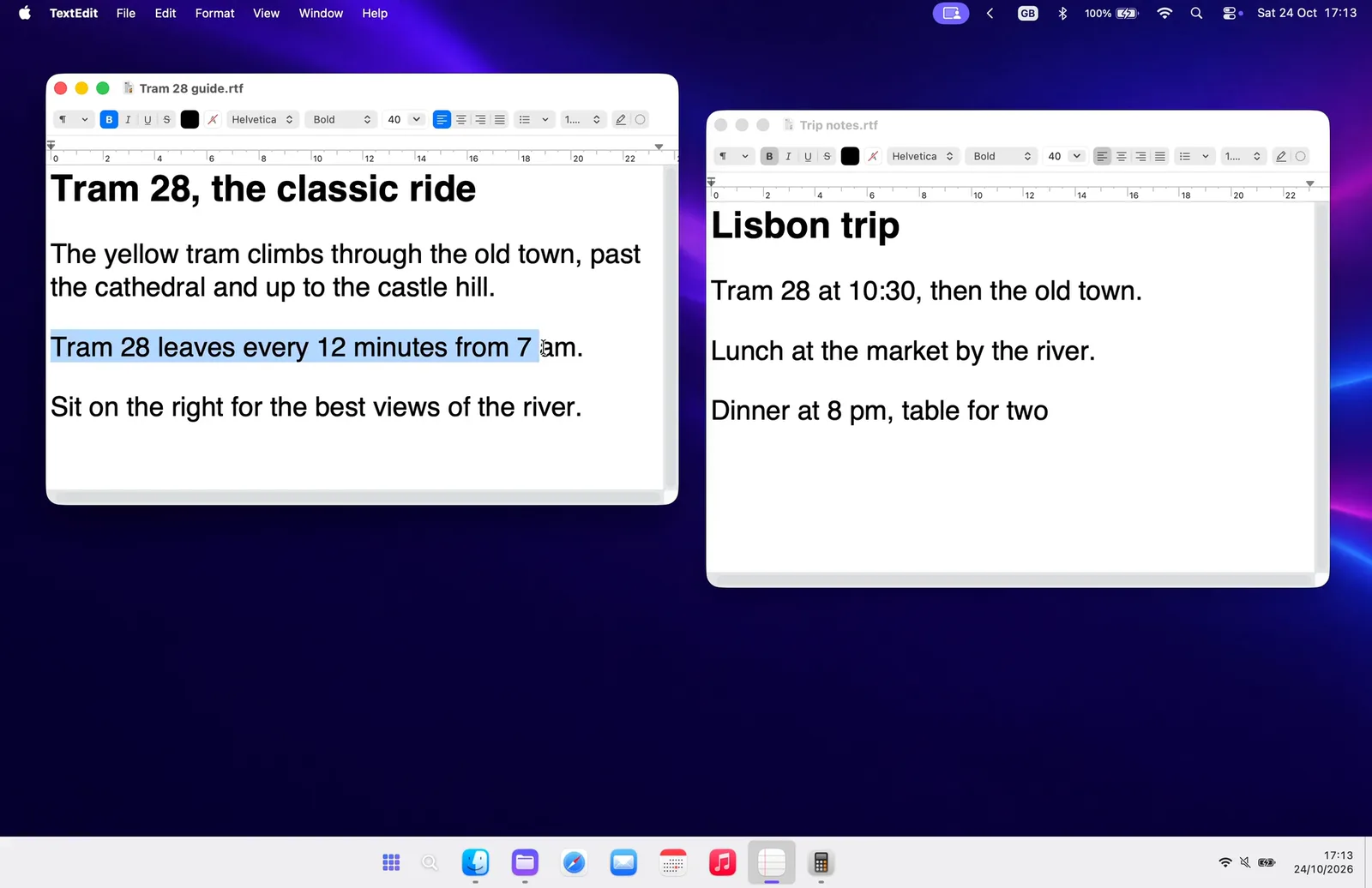
- Ctrl + C, Ctrl + V: Select, press Ctrl + C, then Ctrl + V: your Mac gets ⌘C and ⌘V.
- Alt opens the menus: Tap Alt: a letter shows under each menu. Type it to open that menu.
- Alt + F4: Alt + F4 closes the window in front, never the whole app.
- Home, End, Ctrl + arrows: Home and End go to the ends of the line, Ctrl + arrows word by word.
- Ctrl + Z, Ctrl + Y: Ctrl + Z undoes and Ctrl + Y redoes, as on Windows.
Features in the video
Windows shortcuts on Mac questions
Can I use Windows shortcuts on a Mac?
Not out of the box: a Mac uses ⌘ where Windows uses Ctrl. With WinPlug, your Windows shortcuts work on your Mac: Ctrl + C, Ctrl + V, Ctrl + Z, Ctrl + Y and 21 more Ctrl shortcuts, Home and End, Alt + F4, Ctrl + Alt + Del and Alt for the menus.
How do I copy and paste on a Mac?
Press ⌘C to copy and ⌘V to paste, or use the Edit menu. With WinPlug, Ctrl + C and Ctrl + V work as well, on a Mac keyboard or a Windows one, so you can keep the habit.
What is Ctrl + Alt + Delete on a Mac?
On a Mac, ⌥⌘Esc opens Force Quit, and Activity Monitor shows what’s running. With WinPlug, Ctrl + Alt + Del (or Ctrl + Shift + Esc) opens Activity Monitor, where you can quit an app that’s stuck.
Does Alt + F4 work on a Mac?
Not on its own: on a Mac, ⌘W closes a window and ⌘Q quits the app. With WinPlug, Alt + F4 closes the window in front and never quits the app. On a Mac keyboard, Alt is Option and F4 may need fn.
Where are the Home and End keys on a Mac?
Most Mac keyboards have none: fn + ← and fn + → act as Home and End, and they scroll the page rather than move the cursor. With WinPlug, Home and End go to the start and end of the line, like on Windows, including on a Windows keyboard.
Can I use a Windows keyboard with my Mac?
Yes, any USB or Bluetooth keyboard works. The Windows key acts as ⌘ and Alt as Option. With WinPlug, the shortcuts printed in your head work too: Ctrl + C, Alt + F4, Home and End, in AZERTY, QWERTY or another layout.
Will my Mac shortcuts still work?
Yes. WinPlug leaves ⌘C, ⌘V and every other Mac shortcut alone, and terminals, code editors and virtual machines keep their own Ctrl. Ctrl + Alt + Win + W turns everything off at once.
Does WinPlug Keyboard need any permission?
Yes: Accessibility and Input Monitoring, which macOS asks for once, so WinPlug can notice Ctrl + C as you press it. Keys are handled on the fly; nothing you type is stored or sent.
One license, every habit
WinPlug Keyboard comes with 8 more modules: one license, $24 one-time at launch, for 2 Macs, with a free 14-day trial and no account.
- WinPlug TaskbarA real taskbar: every window one click away, previews on hover, a Start menu.
- WinPlug SnapWin + Shift + S to snip, an editor with arrows, blur and text, pinned captures.
- WinPlug SwitchAlt-Tab window by window, with live thumbnails, search and Peek.
- WinPlug ExplorerA file explorer that cuts and pastes, with an address bar and dual pane.
- WinPlug CaptureRecord the screen, a window or an area, then cut, style and export it in an editor.
- WinPlug ClipboardEverything you copy, kept in a history you can paste from.
- WinPlug LayoutWindows snapped to halves, quarters and thirds, with Win + arrows.
- WinPlug MouseThe wheel scrolls like Windows, the trackpad stays natural, Ctrl + wheel zooms.